
Musora: The Music Lessons App
Musora Media Inc.Education
4.3217.00 Reviews
- Version
- 3.1.12
- Installs
- 100.00K
- Age Rating
- Everyone 10+
Screenshots
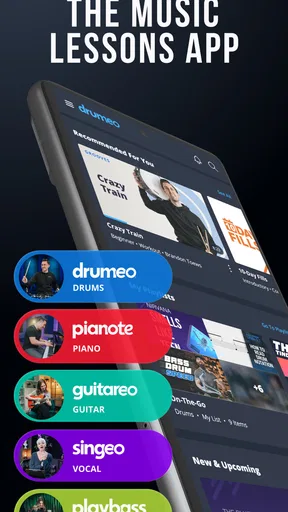

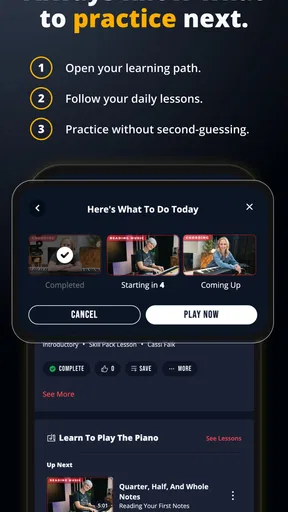
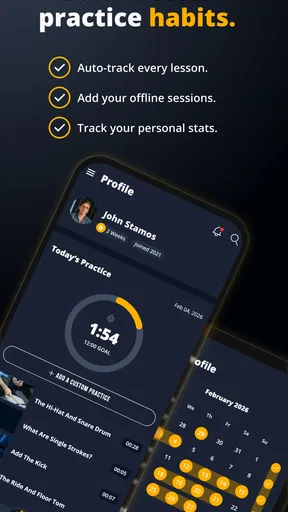
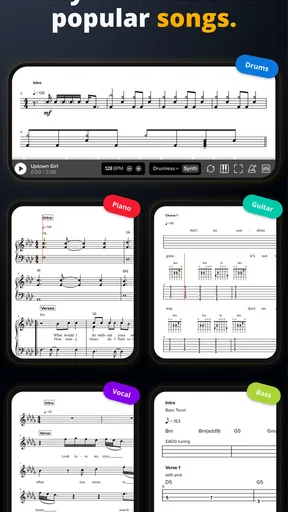
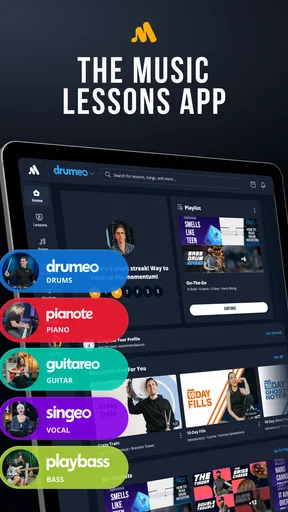

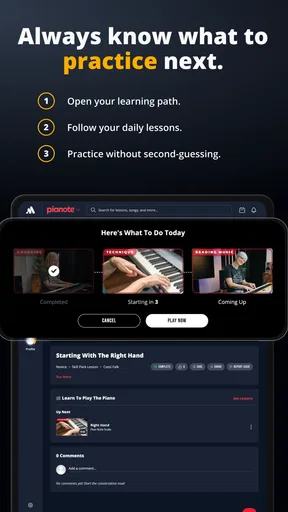
Our Review of Musora: The Music Lessons App
 Analysis by Appyee
I usually start learning a new instrument with enthusiasm and then hit the same obstacle: I’m not sure what to practise next. A pile of videos can offer inspiration, but it’s hard to turn them into a steady routine. Musora is an education app for people who want lessons across drums, piano, guitar, bass and singing, with a more guided route than simply searching for tutorials. My impression is that it works best when I treat it as a practice companion, not a shortcut to playing well.
Choosing a starting point that fits real life
The first useful decision is not which instrument sounds most impressive; it’s which one you can actually return to. If there’s a guitar at home, for example, it makes sense to begin there rather than browse every course and postpone practice. The app is made by Musora Media Inc., and its broad instrument range is a real advantage for households or learners who want to explore more than one musical path. It can also be a distraction: having several options makes it easy to keep switching instead of building a habit on one instrument.
I’d approach the first session with a small goal, such as learning a basic movement or understanding one musical idea, rather than expecting to make visible progress across a whole course in an evening. That keeps the app’s range manageable. If you are completely new, give yourself time to get used to the vocabulary and the instrument itself; if you already play, choose material that fills a specific gap instead of restarting at the beginning out of habit.
Making a lesson turn into practice
My most practical workflow is to watch a short section, pause, try it away from the screen, and then replay only the part I could not follow. That sounds simple, but it changes a video lesson from passive viewing into useful practice. Slowing a video without changing its pitch can help when a passage moves too quickly to copy at full speed. I would use that as a temporary aid, though, and return to the normal pace once the notes or movement make sense.
The built-in tuner and metronome are helpful at the moments when practice can otherwise stall: tuning before playing and keeping a steady pulse during an exercise. They do not make attentive listening unnecessary. I still need to check whether my instrument sounds right and whether I’m rushing, especially when I’m concentrating on a new technique. Keeping the tuner, lesson and practice in the same app reduces one kind of friction, but the important work still happens with the instrument in hand.
Keeping progress manageable
It helps to end each session with a note to yourself about what felt easy and what needs another try. The app’s lesson and practice history can show what I have completed, but a completed item is not the same as a skill I can play reliably. I’d use that record to choose the next session, then revisit a lesson when the movement still feels uncertain. This is a more useful way to read progress than treating a growing checklist as proof that every technique has stuck.
A realistic routine might be a brief session after dinner: tune up, review one lesson segment, practise it slowly, then try it again with a metronome. On a busy day, even a focused repeat is more useful than opening several unrelated lessons and finishing none. For someone learning alongside work or school, the convenience of returning to a specific lesson matters more than an ambitious schedule that is hard to keep.
Where Musora fits among the alternatives
Compared with searching for free videos, Musora offers a more organized learning environment and brings several instruments under one roof. Open video platforms can be better when you want one very specific demonstration or enjoy choosing every teacher and topic yourself. A local teacher, meanwhile, can watch your posture and sound in person and correct habits as they form; an app cannot replace that kind of direct observation. I see Musora as a practical middle ground for independent learners who want structure and flexibility, not as a universal substitute for lessons.
It is free to download, while in-app purchases range from $1.99 to $239.99 per item, so I would look carefully at the purchase details before committing to paid content. The app has a 4.5 average from around 1,900 ratings, and it has been installed over 100,000 times. Those figures suggest it has found an audience, but they cannot tell me whether its teaching style will suit a particular learner. I would first check whether the available lesson approach matches the way I like to practise.
The age rating is Everyone 10+, and the app’s current version is 3.0.4, with Android 7.0 as the minimum operating system. It is a sensible option for a young learner who can practise independently, though a parent or teacher may still be useful for helping set a realistic routine. Adults who want to learn casually can also use it without making music study feel like a formal course.
So, I recently got my hands on Musora, this nifty little app that promises to revolutionize the way we learn music. As someone who has dabbled with a guitar more times than I’d like to admit, I was curious to see if this app could finally turn me into the rockstar I've always dreamed of being. Spoiler alert: it’s pretty darn impressive.
Getting Started with Musora
Diving into the app, I was greeted by a clean and intuitive interface. It’s like the app is welcoming you with open arms, ready to guide you along your musical journey. Setting up was a breeze. You just choose your instrument—be it guitar, piano, drums, or even voice—and the app tailors its lessons to fit your musical aspirations. I went with the guitar, obviously.
One of the first things that struck me was the sheer amount of content available. There are lessons for every level, from absolute beginners who don’t know a chord from a chord progression to more advanced musicians looking to refine their skills. It’s like having a personal tutor in your pocket, available 24/7.
The Lessons: What to Expect
Each lesson in Musora is structured in a way that’s easy to follow. The instructors are engaging and genuinely seem passionate about teaching. There’s a mix of video lessons, practice exercises, and even quizzes to test your knowledge. It’s a well-rounded approach that caters to different learning styles.
The video quality is top-notch, and the audio is crystal clear—crucial for a music app. Plus, there’s a handy feature that lets you slow down the videos without altering the pitch. This is a godsend for those tricky solos or complex drum patterns that need just a bit more time to master.
Community Vibes
Another aspect I loved about Musora is its community feature. Learning music can sometimes feel like a solitary endeavor, but here, you’re never alone. There’s a vibrant online community where you can share your progress, ask questions, and even get feedback from fellow learners. It feels like being part of a big musical family.
There are also regular live sessions with the instructors. These are perfect for getting real-time feedback and interacting with other users. It’s a great way to stay motivated and keep pushing yourself to improve.
Features That Stand Out
One of my favorite features is the built-in metronome and tuner. It’s so convenient to have these tools integrated directly into the app. No more switching between apps or searching for a separate tuner online. Everything you need is right there, streamlining your practice sessions.
Another cool feature is the ability to track your progress. The app keeps a log of your completed lessons and practice sessions, giving you a clear picture of how far you’ve come. It’s super motivating to see your progress laid out in front of you.
Room for Improvement?
While Musora is jam-packed with features, there are always areas for improvement. For instance, I found that the app can be a bit overwhelming at first due to the sheer volume of content. A more guided onboarding process could help new users navigate the app better.
Additionally, while the lessons are generally comprehensive, some might find the leap between beginner and intermediate content a tad abrupt. A smoother transition would be beneficial for those just starting out.
Final Thoughts
All in all, Musora is a fantastic app for anyone looking to learn or improve their musical skills. It’s comprehensive, user-friendly, and packed with features that make learning music fun and engaging. Whether you're picking up an instrument for the first time or looking to master advanced techniques, this app has something for everyone.
If you’re serious about learning music and want a convenient, flexible way to do it, Musora is definitely worth checking out. It’s like having a music school right in your pocket, and honestly, what could be cooler than that?
Knowing when this approach is not enough
The main trade-off is that a lesson can show and explain a technique, but it cannot automatically tell me whether my hands are tense, my posture is awkward, or my sound is clean. I have to make those checks myself, or ask someone nearby to listen and watch. That makes the app a stronger fit for patient, self-directed learners than for someone who needs frequent correction to stay on track.
It may also be the wrong choice if your immediate goal is simply to learn one song for an event or answer a narrow technical question. In that case, a focused tutorial or a teacher who can address that exact issue may get you there faster. Musora makes more sense when I want a continuing path and am willing to practise between lessons.
Getting more from the handoff between lessons
When a lesson ends, I try to carry one clear instruction into the next practice session rather than remember an entire video. For example, I might focus on keeping a rhythm even, or changing between two shapes without stopping. That single focus gives me something observable to work on, and it makes it easier to decide whether I should repeat the lesson or move forward.
The community and live sessions can provide a useful social handoff: I can bring a question that came up while practising and learn from other people’s experiences. I would still separate encouragement from expert diagnosis. Peer feedback can help me stay motivated and notice what others are working on, while an instructor or in-person teacher is the better choice when I need a precise correction to my technique.
Who is likely to stick with it
I’d recommend giving Musora a try if you have an instrument available, enjoy learning from demonstrations, and can set aside regular time without needing someone to supervise every session. It may suit a beginner who wants a structured starting point, as well as an intermediate player who knows what skill they want to strengthen. Someone who plays several instruments may appreciate having those learning interests gathered in one place, provided they resist the temptation to divide every practice session among them.
By contrast, a learner who needs a strict personal curriculum, immediate correction, or a teacher who adapts every exercise to their playing may be better served by private instruction. The same goes for anyone who prefers learning entirely by ear or dislikes screen-based teaching. The app can support a musical routine, but it cannot supply the motivation, physical feedback or individual attention that some learners need.
My bottom line after following the workflow
What I value most is the way Musora can connect choosing a lesson, trying it on an instrument, and returning to the material when practice exposes a weak spot. The smoothest results come from keeping the loop small: one lesson, one specific exercise, one honest check of what improved. That approach makes its large library feel less like a maze and more like a set of possible next steps.
I would choose it for flexible, ongoing study across its supported instruments, while keeping expectations realistic about self-correction and the work required between videos. If you want a guided resource you can fit around everyday life, it is worth exploring; if you need a personal coach or a fast answer to one narrowly defined problem, another route may serve you better.
Verdict
Strengths of Musora: The Music Lessons App
- Comprehensive lessons for multiple instruments.
- High-quality video tutorials and resources.
- Flexible learning paths to suit all levels.
- Engaging community for support and feedback.
- Offline access for learning on the go.
Limitations of Musora: The Music Lessons App
- Requires a subscription for full access.
- Limited free content available initially.
- Interface can be overwhelming for beginners.
- No personalized feedback from instructors.
- Occasional app performance issues reported.
Similar Picks in This Category
View All
Duolingo: Language Lessons
Duolingo4.7

Google Classroom
Google LLC2.8

Unacademy: Learn & Crack Exams
Unacademy3.2

Bible App for Kids
Life.Church4.4

Cake - Learn English & Korean
Cake Corp.4.7

Brainly: AI Homework Helper
Brainly4.5
Frequently Asked Questions
What is Musora and what kind of music lessons does it offer?
Musora is an innovative app designed for music enthusiasts of all skill levels. It provides a variety of lessons in instruments such as guitar, piano, drums, and vocals. The app features high-quality video tutorials, practice tools, and personalized lesson plans to help users progress effectively in their musical journey.
Is Musora suitable for beginners or just advanced musicians?
Musora is suitable for musicians at all levels, from complete beginners to advanced players. The app offers structured lessons that start from the basics and gradually increase in complexity. Each lesson is designed to help users build their skills progressively, making it an excellent resource for anyone looking to improve their musical abilities.
Does Musora offer interactive features or just video lessons?
Yes, Musora offers more than just video lessons. The app includes interactive features such as practice tools, progress tracking, and community support. Users can engage with instructors and fellow learners, participate in live sessions, and access a library of sheet music and backing tracks to enhance their learning experience.
Can I access Musora offline, or is an internet connection required?
Musora primarily requires an internet connection to stream video lessons and access interactive features. However, the app does offer options to download lessons for offline viewing. This flexibility allows users to continue their practice sessions even without a steady internet connection, making it convenient for on-the-go learning.
How does the subscription model for Musora work, and is there a free trial available?
Musora operates on a subscription model, offering various plans that cater to different learning needs and budgets. Typically, users can choose from monthly or annual subscriptions. The app often provides a free trial period, allowing new users to explore its features and decide if it aligns with their learning goals before committing to a paid plan.
